 TradeStamp
Short answer: the built-in Camera app can’t put a visible date stamp on a photo.
To see when a photo was taken, open it in Photos and swipe up. To get the date, time and address printed on the photo, use a free timestamp camera like TradeStamp.
1. See when a photo was taken (no app needed)
- Open the Photos app.
- Tap the photo.
- Swipe up, or tap the Info button (ⓘ).
- You’ll see the date and time it was taken, and where, if Location was on for the Camera.
This info lives inside the file, not on the picture. Anyone can change it: in Photos, tap the More button, then Adjust Info and Adjust Date & Time. Location can also be turned off when a photo is shared. A printout or a screenshot shows none of it.
2. Stamp the date and time on new photos (free)
A timestamp camera draws the date and time onto the photo the moment you take it. TradeStamp does this for free, with no photo limit and no account.
- Get TradeStamp: Timestamp Camera on the App Store. In the search bar, type “TradeStamp Timestamp Camera”.
- Allow the camera. Allow location too if you want the street address and GPS on the stamp.
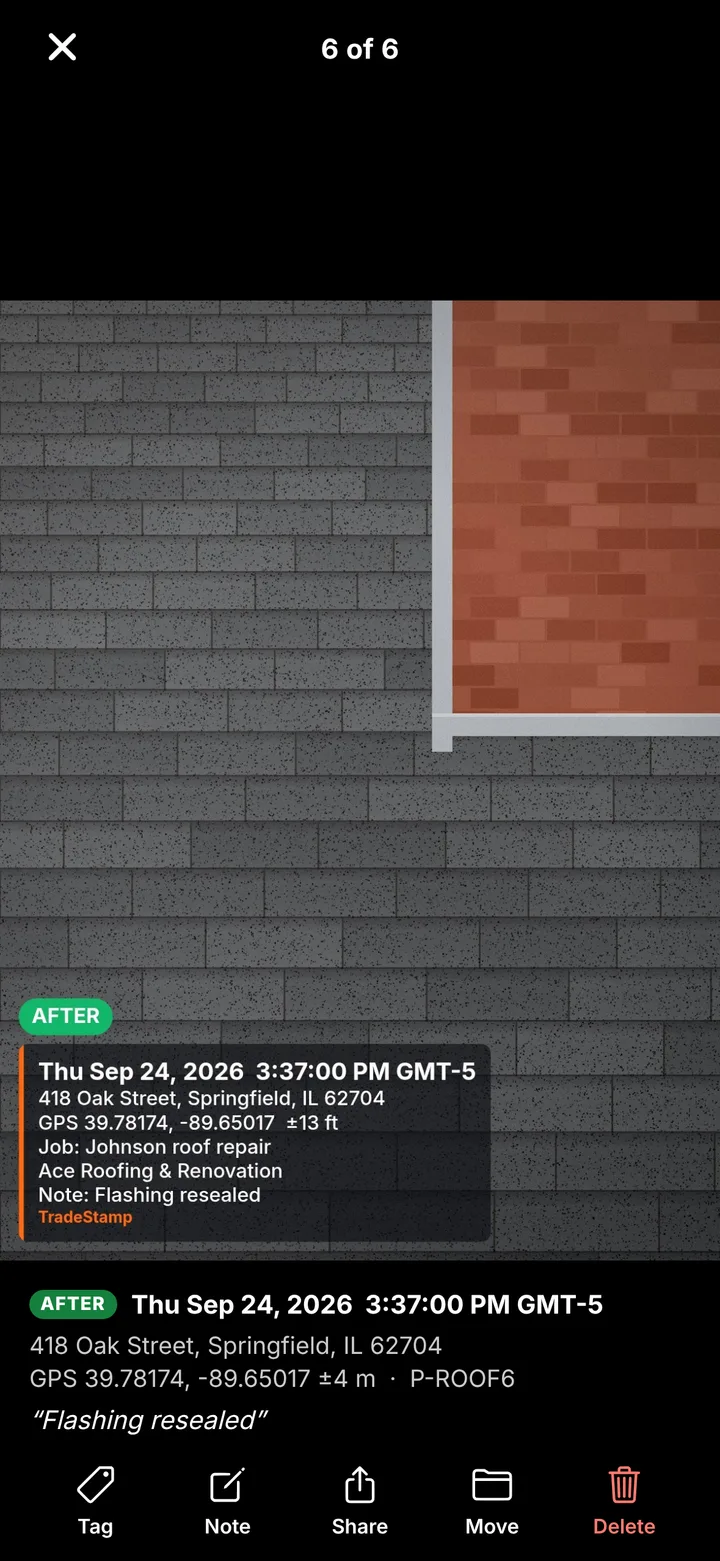
- Take the photo. The date, time, address and GPS coordinates are stamped on as you shoot.
- The stamped photo is saved in a job folder in the app, and a copy goes to your Photos app (on by default).
In the app’s Settings you choose what the stamp shows: date and time, street address, GPS coordinates, job name and company name, with a 12- or 24-hour clock.
3. Stamp a photo you already took
Use our free photo timestamp tool. It reads the date, time and GPS saved in the photo and writes them on the picture, right in your browser. Nothing is uploaded.
On iPhone, tap Options in the photo picker and make sure Location is on, so the GPS stays in the photo.
Some apps strip the date when a photo is shared. If the file has no date, the tool uses the file’s own date and says so on the stamp.
A stamp added later shows what the file says. A stamp added by the camera when the photo is taken is stronger proof.
Why a stamp on the picture beats the date in the file
- Anyone can see it, even on a printout or a screenshot
- It stays on the photo when an app strips the file’s data
- Clients, insurers and inspectors can read it at a glance
- Before and after pairs explain themselves
A stamp is strong evidence, not a guarantee: it relies on the phone’s clock and GPS. Keep the original files too. For a full checklist, see how to prove you did the work.
What’s free in TradeStamp
Free forever: unlimited stamped photos with date, time, address and GPS, plus a small TradeStamp mark. Your first PDF report is free too.
Pro (optional): unlimited PDF reports with client sign-off, your logo on reports, and no TradeStamp mark. The yearly plan starts with a 7-day free trial.
Get the free timestamp camera
Date, time, address and GPS on every photo. No photo limit, no account.