 TradeStamp
CompanyCam is one of the best-known photo apps for contractors. It does a lot, and it does it well. But much of that power is for crews: shared projects, task lists, live job maps and office tools.
If you run a one-person business, or a small crew where one person takes all the photos, this page is for you. We make TradeStamp, so we’ll be upfront about where CompanyCam is the better choice.
The short answer
Pick CompanyCam if you…
- Have a team that needs to see the same photos
- Want photos saved in the cloud and shared with clients
- Use tools like Jobber, JobNimbus or QuickBooks Online
- Want invoices, payments, checklists and tasks in one app
Pick TradeStamp if you…
- Work alone or take all the photos yourself
- Want date, time, address and GPS stamped on every photo
- Want a branded PDF report in one tap
- Want a low, flat price and no account
What each app costs (as of October 2026)
These are the public prices on each company’s website in October 2026. Prices are in US dollars and can change, so check the CompanyCam pricing page before you decide.
| Price | CompanyCam Core | TradeStamp |
|---|---|---|
| Billed monthly | $79 a month | $9.99 a month |
| Billed yearly | $63 a month, billed yearly (about $756 a year) | $59.99 a year (about $5 a month) |
| Users | 1 user included. Extra users are $29 each a month on yearly billing. | One price, no per-user fees |
| Free trial | Yes (length not listed on the pricing page) | 3 days on the yearly plan |
CompanyCam’s team plans, Crew and Scale, include 3 users and cost more. They add things like task assignment, checklists and a live map of jobs. Enterprise pricing is by quote, for 50 or more users.
So TradeStamp costs a lot less. But it also does a lot less. The real question is whether you need the extra tools.
Side-by-side features
| Feature | CompanyCam | TradeStamp |
|---|---|---|
| Built for | Solo pros up to multi-location companies | Solo trades and small crews |
| Photo stamp | Timestamped photos and videos | Date, time, street address and GPS burned into each photo |
| Organizing | Auto-organized projects, tags and timelines | A folder per job, Before / During / After tags, notes |
| Reports | Reports from job photos (auto reports on Crew and up) | Branded PDF in one tap, with map links and sign-off lines |
| Edit check | Not covered on the pricing page | SHA-256 fingerprint for every photo, listed in the report |
| Where photos live | In the cloud, shared with people you invite | Only on your phone, never uploaded |
| Team tools | Yes, on team plans: tasks, checklists, sub access | No |
| Integrations | AccuLynx, Jobber, JobNimbus, JobTread, Leap, QuickBooks Online and more | None |
| Payments and invoices | Yes (on-site payments for US-based companies) | No |
| Phones | iPhone and Android | iPhone now, Android coming soon |
Where CompanyCam is better
We want you to pick the right tool, even if it isn’t ours. CompanyCam is the stronger choice when:
- You have a team. Everyone’s photos land in the same project, so the office can follow the work without a phone call.
- You need cloud sharing. Photos are stored in the cloud, so they don’t fill your phone. You can send clients live job updates and invite subcontractors.
- You use other software. CompanyCam connects to tools many contractors already use, like Jobber, JobNimbus and QuickBooks Online.
- You want more than photos. It also does video, invoices, on-site payments in the US, checklists and AI-written reports on higher plans.
- You use Android today. TradeStamp for Android isn’t out yet.
Where TradeStamp fits better
TradeStamp does one job: photo proof. That keeps it simple and cheap for one person.
- The proof is on the photo. Date, time, time zone, street address and GPS are burned in when you take it, and the stamp can’t be edited in the app.
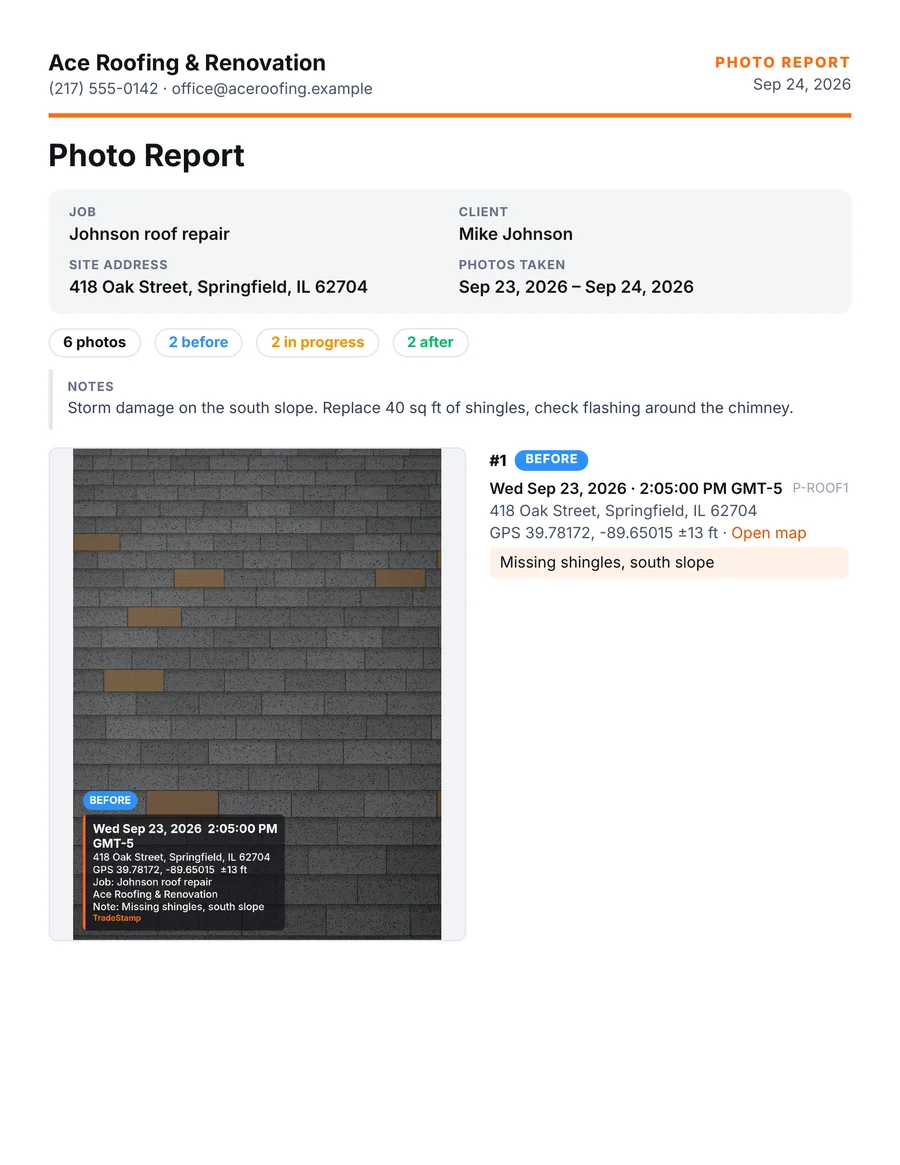
- Reports in one tap. Pick photos, tap Report, and send a PDF with your logo, company name, phone and email.
- Tamper-evident files. Each photo gets a SHA-256 fingerprint when it’s taken, so anyone can check that a file is the untouched original.
- Private. No account needed. Your photos stay on your phone and are never uploaded.
- No ads and one flat price: $59.99 a year or $9.99 a month.
Know this before you switch
- No cloud backup. Your photos live on your phone. Keep your phone backed up and save your reports somewhere safe.
- No team accounts. If two people take photos, each person’s photos stay on their own phone.
- Phone clock and GPS. The stamp uses your phone’s clock and location, so keep automatic date and time turned on.
- Signal for addresses. The street address needs a connection to look up. With no signal, photos still get the date, time and GPS.
Try it on your next job
Start the 3-day free trial on the yearly plan. If it isn’t for you, cancel during the trial and you won’t be charged.